iCAUR Wallbox Installation: Put Safety First
Choose an authorised installer who can check your home’s wiring and help you charge safely.
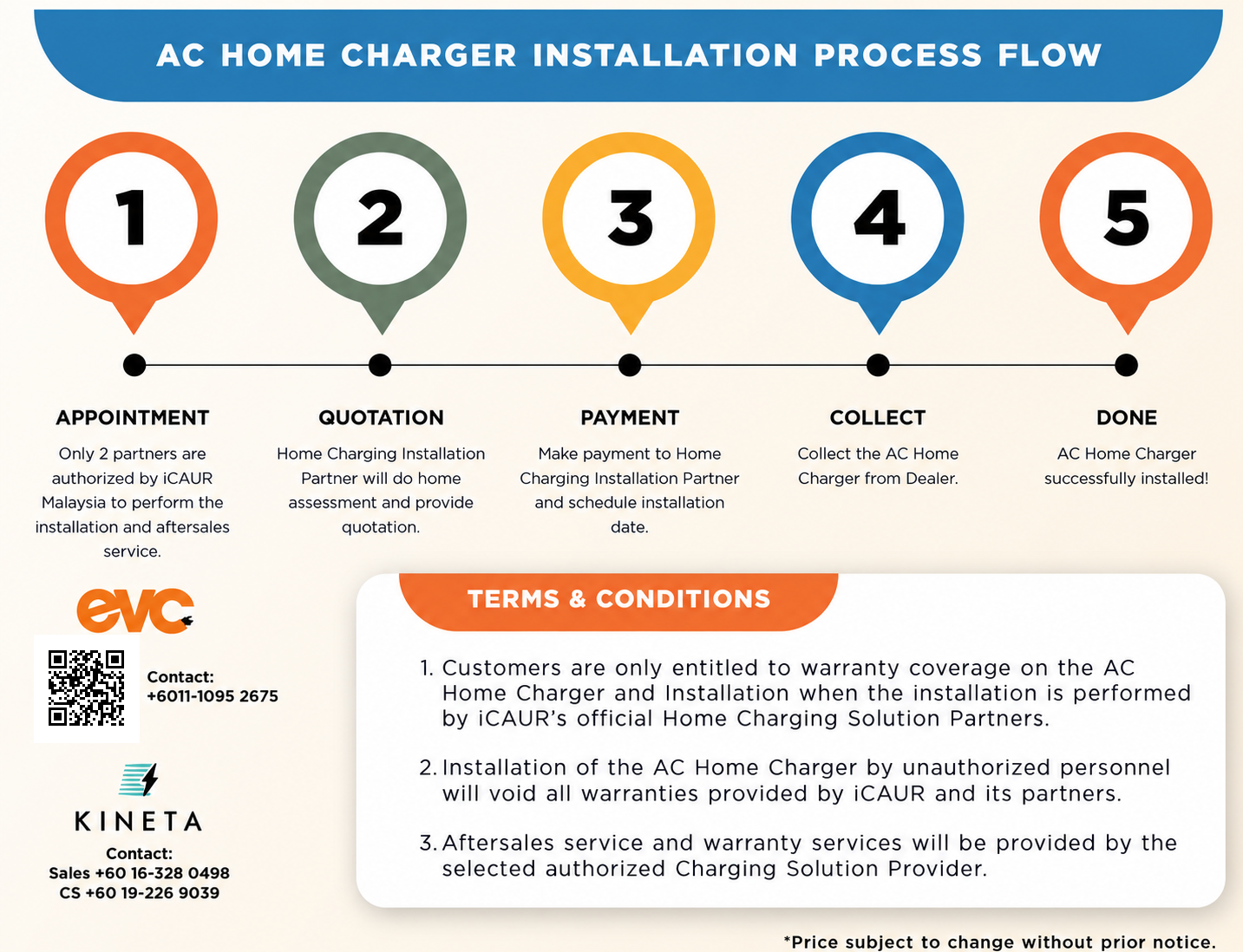
We recommend EVC or Kineta, iCAUR’s authorised installation partners, for your home wallbox. Alongside warranty coverage, you need to know that your home can cope with hours of charging.
A proper installation should include checking for loose connections, testing the electrical safety switches and checking how much power your home uses when the charger is running.
Before booking, ask which checks are included, whether extra work is needed and what it will cost. Have the installer explain the right charging setting for your home and who to contact for support.
Why the safety checks matter
A 2025 study by Idaho National Laboratory identifies battery defects, collision damage and flooding as common triggers for EV battery fires. It also describes how faults in charging connections and wiring can lead to overheating and fire. Read the research (PDF) ↗
Your installer should check the connections, use the right cables and test the safety protection. Seeing the wallbox turn on does not tell you whether the installation is safe.
This needs a qualified installer
“I have someone” or “my friend can do wiring” is not enough. Whoever you choose should have the right qualifications and experience with EV charging. TNB requires EV-charger installers to be ST-registered competent persons or contractors. Ask for the installation test report. Read the TNB guide (PDF) ↗
Set up the app with your installer
If your wallbox supports Tellus, ask the installer to confirm the correct app: Tellus Power for Android or Tellus PowerC for iPhone. Have them help you connect it and show you any available charging settings.
A lower amp setting means slower charging and leaves more power available for the house. Use the setting your installer recommends for your home.
Charging from 20% to 80%
The iCAUR 03 2WD has a 65.7kWh battery, while the iWD has a 69.8kWh battery. Charging from 20% to 80% adds roughly 39.4kWh for the 2WD or 41.9kWh for the iWD to the battery.
| Charging setting | 2WD | iWD |
|---|---|---|
| 32A (6.6kW max) | 6 hours 40 minutes | 7 hours 5 minutes |
| 26A (about 6.0kW) | 7 hours 20 minutes | 7 hours 45 minutes |
| 20A (4.6kW) | 9 hours 30 minutes | 10 hours 5 minutes |
The kW figures assume 230V. At 32A, the supply can provide about 7.4kW, but the iCAUR 03 can accept up to 6.6kW. These times allow for 10% charging loss. Actual times vary.
At 20A, allow roughly ten hours for this charge. An eight-hour overnight window may not be enough.
Count the airconds and water heater too
For single-phase homes, TNB’s guide uses 10kW for the whole house, including the charger. Ask your installer to check how much your home can safely handle.
There is no fixed number of airconds that is safe for every home. Their power use, the water heater and other appliances all need to be counted.
A simple example at 20A
- Two 1.5HP airconds
- 2.2kW
- Lights, fridge and fans
- 0.5kW
- Car charging at 20A
- 4.6kW
Total: 7.3kW
Switch on a 3.6kW water heater and the total becomes 10.9kW — above TNB’s 10kW guideline.
This example assumes each aircond uses 1.1kW. Your appliances may use more or less.
Tell your installer which appliances you use together. Ask whether you should pause charging while using the water heater, lower the charging setting or fit automatic power control.
Three-phase homes need checks too
A three-phase home has more room to share the electrical load, but a single-phase wallbox still uses one phase. That phase can become overloaded if too many appliances are connected to it.
Ask the installer to check each phase with the appliances you normally use together, and spread the load more evenly where needed.
Your family’s safety is worth more than saving a few hundred ringgit on work that leaves necessary checks undone.
Where practical, charge during the day while someone is home, especially for the first few sessions. This is an extra precaution, alongside a properly checked installation.
Wallbox manual
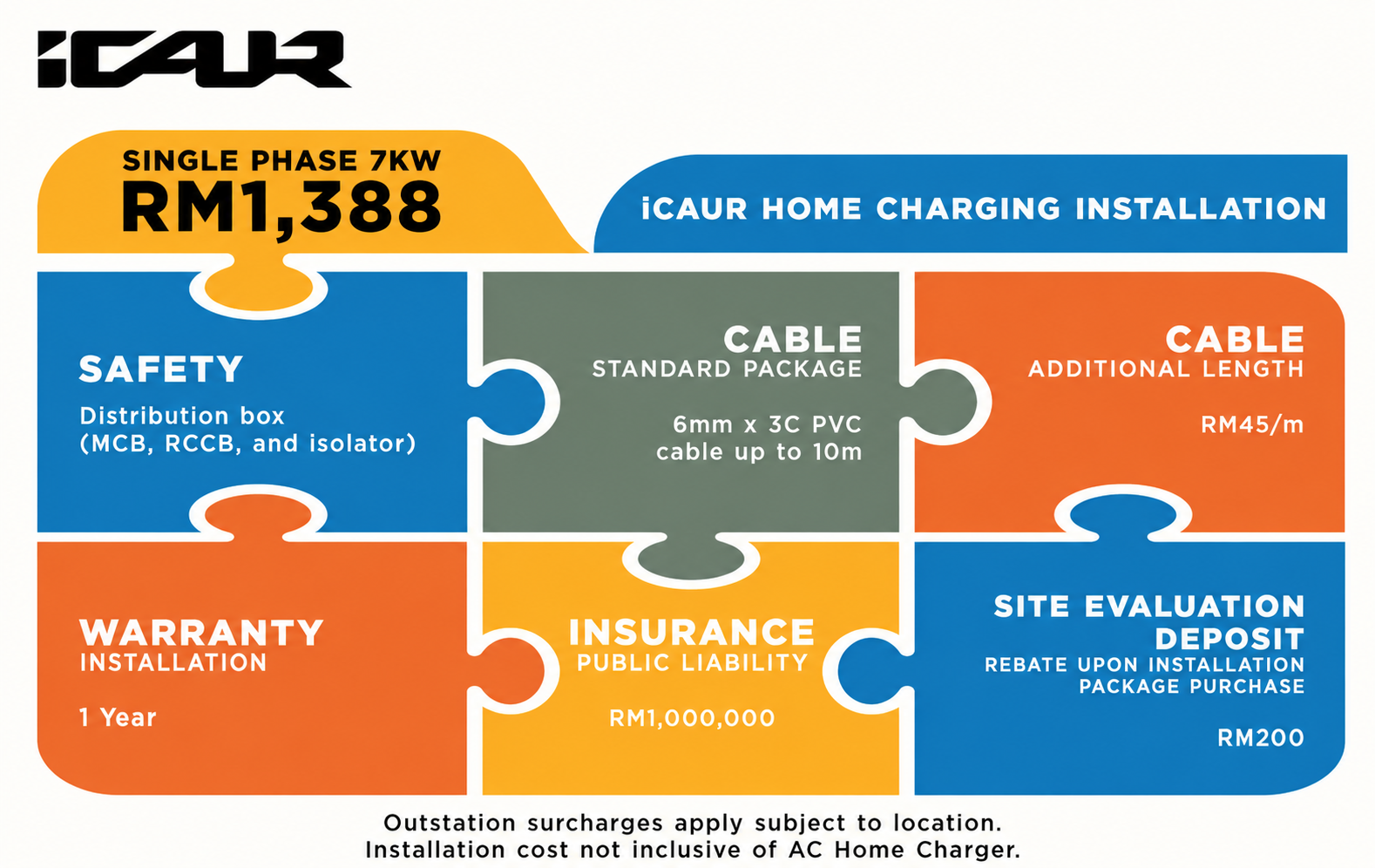
Installation process and package